orbital

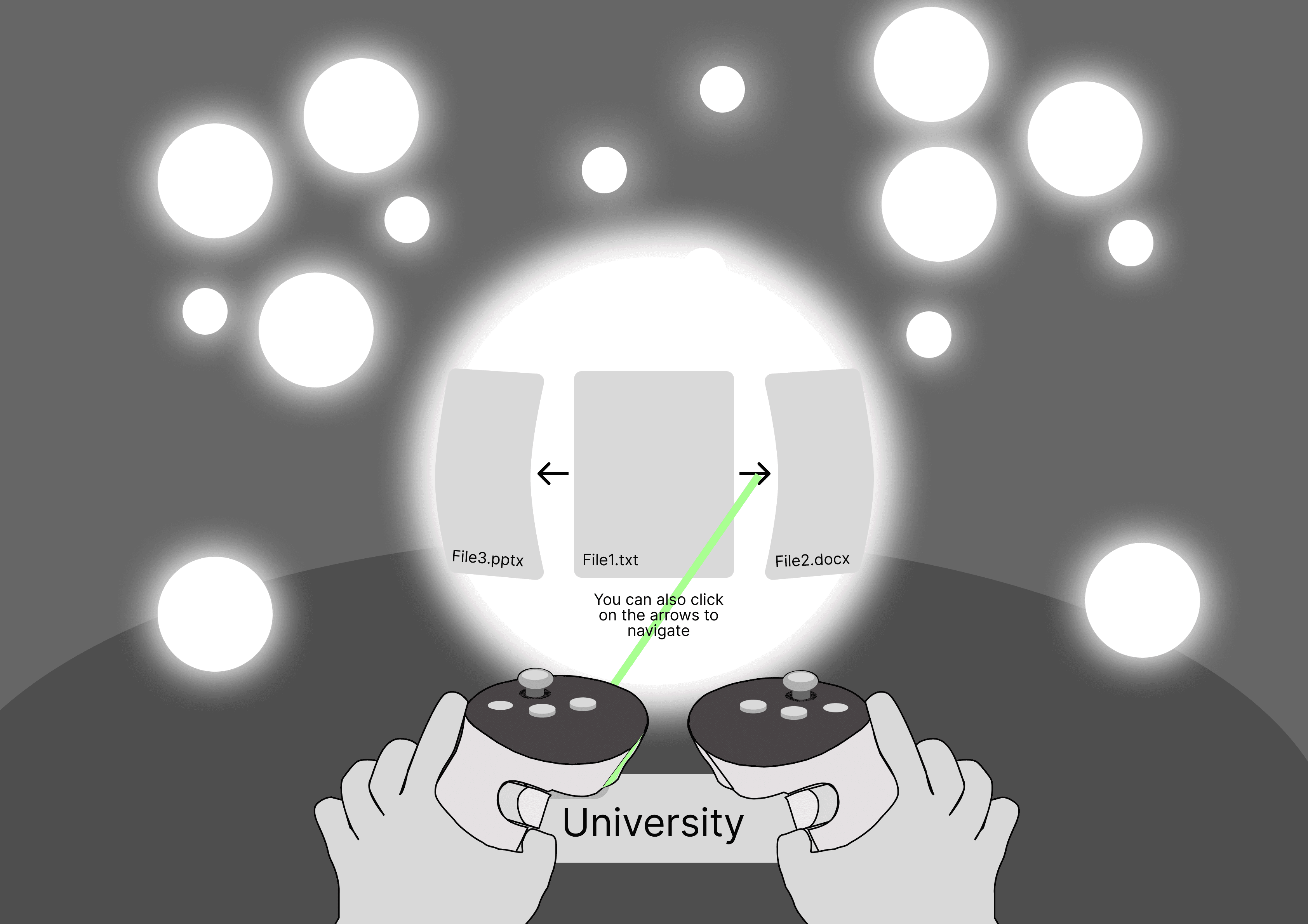
This VR File Explorer reimagines digital organisation through spatial interaction and embodied control. Built in Unity, the system replaces flat interfaces with a tactile 3D environment where users manipulate “folder orbs” and “disks” to browse, organise, and group their files with controllers.
role
time line
The Ask
Traditional file explorers rely on flat, menu-driven interfaces that can feel abstract, disorganised, and unintuitive, especially for people who think spatially. Navigating nested folders, grouping related files, and previewing media becomes a cognitive task rather than a physical one. In VR, users expect interactions to feel tactile and embodied, but most file-management tools simply recreate desktop UI instead of leveraging the strengths of immersive environments.
The Design
This project transforms file management into a spatial, hands-on experience. Instead of clicking through hierarchical menus, users interact with folder orbs they can grab, move, group, delete, or explore with VR gestures using controllers. Disks act as flexible, movable group anchors, allowing users to form small collections of up to four orbs and reorganise them fluidly in 3D space. Integrated image previews, undo support, and disk renaming make the system functional while maintaining an intuitive, physical feel.
By grounding organisation in spatial memory and direct manipulation, the solution makes managing files in VR more natural, expressive, and engaging.
Testing and Iterative Development
The VR File Explorer underwent three rounds of user testing to evaluate usability, interaction clarity, and spatial understanding within the immersive environment. Each testing round involved five participants and was designed to validate design decisions, uncover usability issues, and inform iterative improvements and feature refinements.
Methods
A mixed-methods evaluation approach was used to capture both qualitative and quantitative insights:
User testing with predefined file management tasks
Think-aloud protocol to observe user reasoning and interaction breakdowns in real time
System Usability Scale (SUS) to assess perceived usability across iterations
Time-on-task to measure efficiency when completing core actions
Task completion success to evaluate effectiveness and error recovery
Key Findings and Iterations
Feedback across the testing rounds highlighted a contrast between intuitive spatial metaphors and less familiar controller interactions. Participants consistently demonstrated an intuitive understanding of the 3D environment, for example, recognising and understanding how to use features without explicit instruction indicating strong affordances and effective spatial cues.
Conversely, several users reported confusion around controller button mappings, which led to interaction errors and increased completion time in early iterations. In response, control mappings were simplified, visual cues were strengthened, and interaction feedback was refined between testing rounds. Subsequent evaluations showed improved task success rates, reduced time-on-task, and higher SUS scores, validating the effectiveness of these changes.
the development
This project was built through iterative prototyping in Unity, focusing heavily on getting the core interactions feeling natural and predictable in VR. I refined custom snapping behaviour, stable grab-release mechanics, and orientation controls to keep objects upright, while also designing the logic for grouping orbs onto disks, editing names, and managing state changes without visual glitches. Continuous testing shaped the physics, feedback, and interaction flow, ensuring that each action felt smooth, readable, and intuitive in a spatial environment.
the takeaway
This project deepened my understanding of how small interaction details such as, snap offsets, object rotation and visual feedback directly impact usability and comfort in VR. I learned how to translate familiar file-management patterns into embodied, 3D interactions that feel tactile and intuitive, and how to engineer systems that stay responsive under dynamic user input. Overall, it strengthened both my VR interaction design process and my ability to build stable, user-friendly spatial interfaces.
NEXT PROJECT

role
time line
NEXT PROJECT

Mealtime
UI/UX Design & Research
THE development
This project was built through iterative prototyping in Unity, focusing heavily on getting the core interactions feeling natural and predictable in VR. I refined custom snapping behaviour, stable grab-release mechanics, and orientation controls to keep objects upright, while also designing the logic for grouping orbs onto disks, editing names, and managing state changes without visual glitches. Continuous testing shaped the physics, feedback, and interaction flow, ensuring that each action felt smooth, readable, and intuitive in a spatial environment.
THE takeaway
This project deepened my understanding of how small interaction details such as, snap offsets, object rotation and visual feedback directly impact usability and comfort in VR. I learned how to translate familiar file-management patterns into embodied, 3D interactions that feel tactile and intuitive, and how to engineer systems that stay responsive under dynamic user input. Overall, it strengthened both my VR interaction design process and my ability to build stable, user-friendly spatial interfaces.
ORBITAL
This VR File Explorer reimagines digital organisation through spatial interaction and embodied control. Built in Unity, the system replaces flat interfaces with a tactile 3D environment where users manipulate “folder orbs” and “disks” to browse, organise, and group their files with controllers.
THE ASK
Traditional file explorers rely on flat, menu-driven interfaces that can feel abstract, disorganised, and unintuitive, especially for people who think spatially. Navigating nested folders, grouping related files, and previewing media becomes a cognitive task rather than a physical one. In VR, users expect interactions to feel tactile and embodied, but most file-management tools simply recreate desktop UI instead of leveraging the strengths of immersive environments.
THE DESIGN
This project transforms file management into a spatial, hands-on experience. Instead of clicking through hierarchical menus, users interact with folder orbs they can grab, move, group, delete, or explore with VR gestures using controllers. Disks act as flexible, movable group anchors, allowing users to form small collections of up to four orbs and reorganise them fluidly in 3D space. Integrated image previews, undo support, and disk renaming make the system functional while maintaining an intuitive, physical feel.
By grounding organisation in spatial memory and direct manipulation, the solution makes managing files in VR more natural, expressive, and engaging.
Testing and Iterative Development
The VR File Explorer underwent three rounds of user testing to evaluate usability, interaction clarity, and spatial understanding within the immersive environment. Each testing round involved five participants and was designed to validate design decisions, uncover usability issues, and inform iterative improvements and feature refinements.
Methods
A mixed-methods evaluation approach was used to capture both qualitative and quantitative insights:
User testing with predefined file management tasks
Think-aloud protocol to observe user reasoning and interaction breakdowns in real time
System Usability Scale (SUS) to assess perceived usability across iterations
Time-on-task to measure efficiency when completing core actions
Task completion success to evaluate effectiveness and error recovery
Key Findings and Iterations
Feedback across the testing rounds highlighted a contrast between intuitive spatial metaphors and less familiar controller interactions. Participants consistently demonstrated an intuitive understanding of the 3D environment, for example, recognising and understanding how to use features without explicit instruction indicating strong affordances and effective spatial cues.
Conversely, several users reported confusion around controller button mappings, which led to interaction errors and increased completion time in early iterations. In response, control mappings were simplified, visual cues were strengthened, and interaction feedback was refined between testing rounds. Subsequent evaluations showed improved task success rates, reduced time-on-task, and higher SUS scores, validating the effectiveness of these changes.